YT-DLP Online Downloader
Download YouTube videos using yt-dlp directly in your browser. No installation.
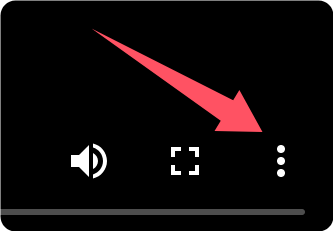
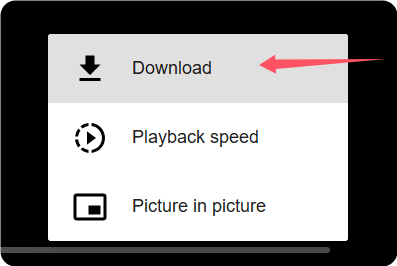
How to Download
Click the Download button and wait while the stream is processed.


Frequently Asked Questions About YT-DLP
Is this free?
Yes, it is completely free to use.
Why don't I see the green “Download File” button?
If the download request fails, the green “Download File” button may not appear. Please wait at least 10 seconds and try again several times. If it still doesn’t work, you can switch to Advanced Download or Quick Download
Why did my download fail?
Download failures are usually temporary. Please wait at least 10 seconds and try again several times. If Quick Download continues to fail, you can try Advanced Download for better stability.
Why did Advanced Download fail?
Advanced Download may occasionally fail due to network or server load. Please wait at least 10 seconds and try again several times. If the issue persists, you can switch back to Quick Download